
Punishments
Manage server bans, mutes, warnings, and kicks
The Punishments page allows you to manage all disciplinary actions on your server, including bans, mutes, warnings, and kicks.
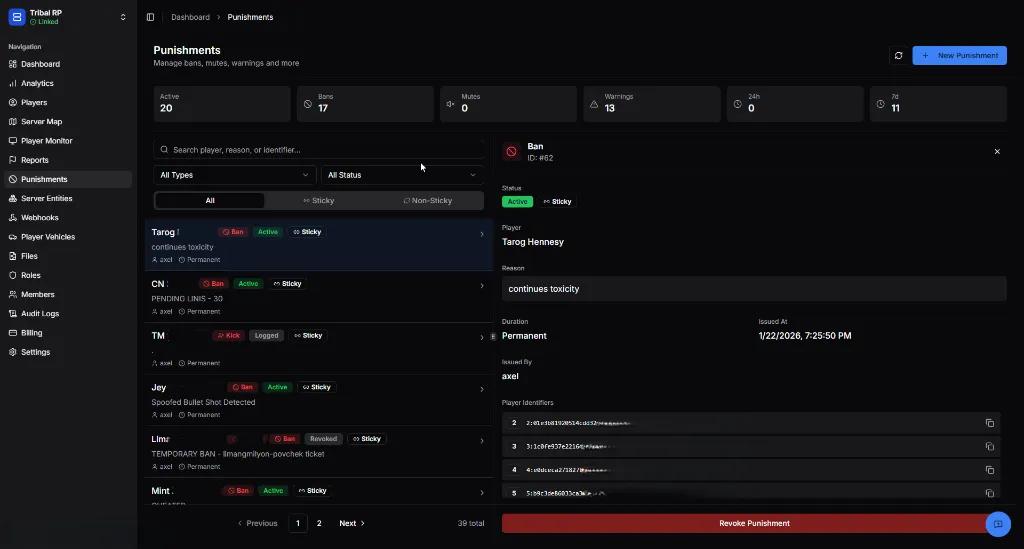
Overview Statistics
Section titled “Overview Statistics”The top of the page provides a snapshot of current enforcement:
| Metric | Description |
|---|---|
| Active | Total active punishments currently in effect |
| Bans | Total active bans |
| Mutes | Total active mutes |
| Warnings | Total warnings issued |
| 24h / 7d | Punishments issued in the last 24 hours or 7 days |
Searching & Filtering
Section titled “Searching & Filtering”You can easily find specific punishments using the search and filter tools:
- Search bar — Search by player name, reason, or identifier
- Type filter — Filter by action type (Ban, Mmute, Warning, Kick)
- Status filter — Filter by status (Active, Revoked, Expired)
- Sticky Toggle — Filter between Sticky and Non-Sticky punishments
Punishment Details
Section titled “Punishment Details”Clicking on a punishment in the list opens the detailed view:
- Reason — The justification provided when the punishment was issued
- Duration — Remaining time or
Permanent - Issued By — The staff member responsible
- Player Identifiers — List of IDs (Steam, License, IP, etc.) targeted by this punishment
- Revoke Button — Allows authorized staff to lift the punishment immediately
Punishment Statuses
Section titled “Punishment Statuses”Punishments can have several state indicators:
| Badge | Meaning |
|---|---|
Active | The punishment is currently being enforced. |
Sticky | Automatically applies to all linked accounts (prevents evasion). |
Revoked | The punishment was manually lifted by a staff member. |
Expired | The timed punishment (e.g., 2h ban) has naturally concluded. |
Kick Status
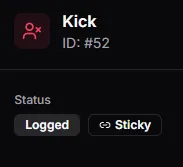
Section titled “Kick Status”When a player is kicked, the status is shown as Logged.
Warning Status
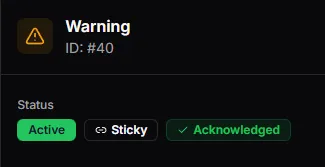
Section titled “Warning Status”Warnings show as Active until the player acknowledges them in-game. Once seen, they graduate to Acknowledged.
Player Experience
Section titled “Player Experience”In-Game Warnings
Section titled “In-Game Warnings”When a player is warned, they receive a full-screen notification upon joining or while active.
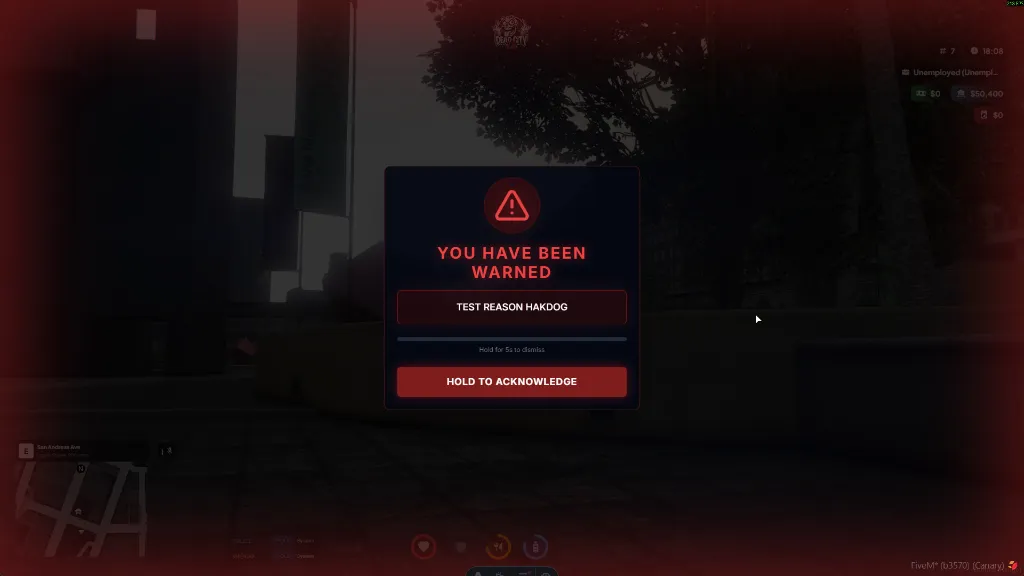
To ensure the player has read the message, they must Hold to Acknowledge. This action updates the punishment status in the Web Panel to Acknowledged, providing staff with empirical proof that the player has seen the warning.
Creating a Punishment
Section titled “Creating a Punishment”Click the + New Punishment button to start the multi-step creation process.
Step 1: Select Player
Section titled “Step 1: Select Player”Search for a player by name or identifier to target them.
Step 2: Punishment Details
Section titled “Step 2: Punishment Details”Specify what action is being taken.
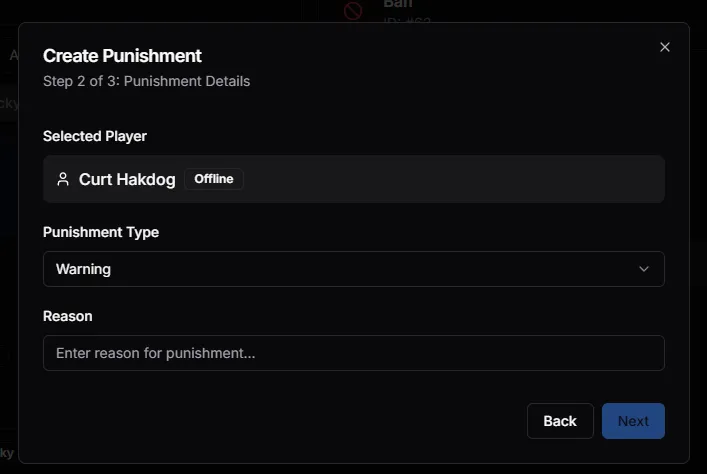
| Field | Description |
|---|---|
| Punishment Type | Choose between Warning, Mute, Kick, or Ban |
| Reason | Provide a clear explanation for the action |
Step 3: Duration & Options
Section titled “Step 3: Duration & Options”If issuing a Ban or Mute, you can specify the length.
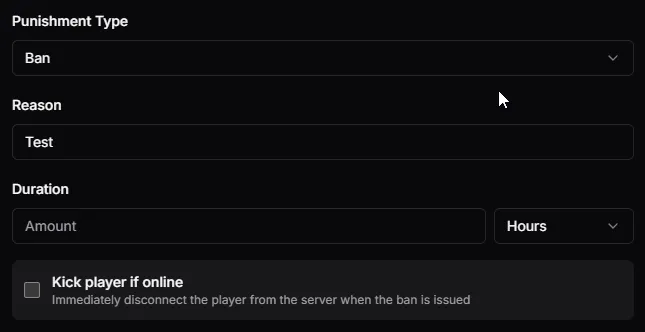
- Duration — Set the amount and unit (Hours, Days, Weeks, or Permanent)
- Kick player if online — If checked, the player will be immediately disconnected from the server
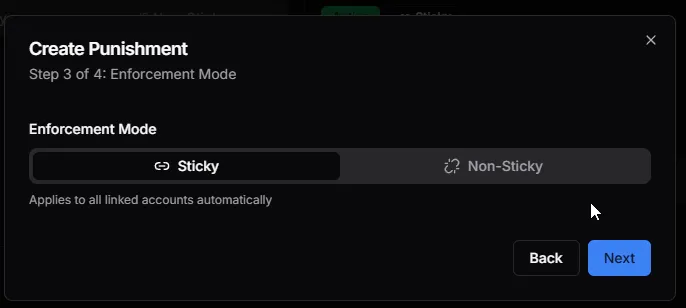
Step 4: Enforcement Mode
Section titled “Step 4: Enforcement Mode”Choose how the punishment should be applied to the player’s identity.
Sticky Mode
Section titled “Sticky Mode”Applies the punishment to all linked accounts automatically. This is highly effective against ban evasion.
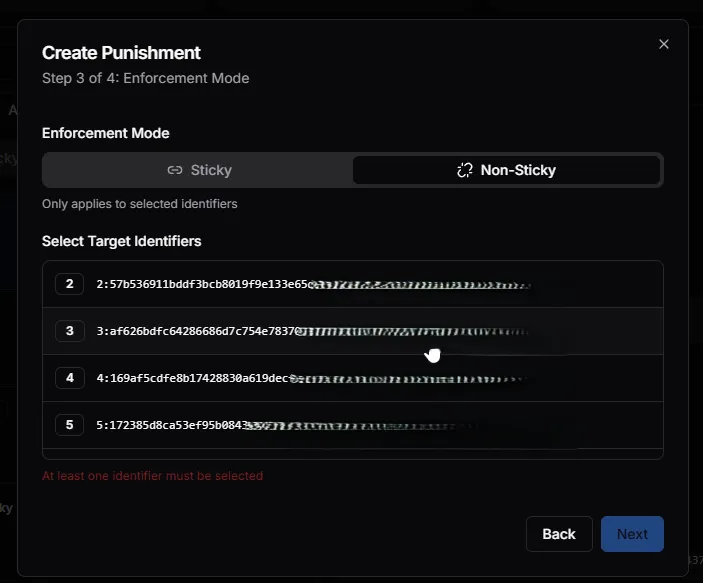
Non-Sticky Mode
Section titled “Non-Sticky Mode”Allows you to select specific identifiers (IP, Steam, etc.) to target. This is useful for more surgical enforcement.
Best Practices
Section titled “Best Practices”- Be descriptive — Always provide clear reasons for punishments to help other staff members
- Use Sticky for serious offenses — Prevent repeat offenders from simply switching accounts
- Verify identifiers — In Non-Sticky mode, ensure you are targeting the correct IDs
- Prefer Warnings for first offenses — Use the appropriate level of discipline for the situation
- Check linked accounts — Before issuing a punishment, check the Players page for potential alt accounts